1600 Lumen Trionic LED Front Light with Battery Pack

This manual both shows how you attach the light holder and the light on a Walker (left column below) and also how you attach them on a Veloped (right column below).

In the left-hand photo, A shows the holder attachment parts for a Walker (2 screws + 2 washers). B shows the holder attachment parts for a Veloped (1 screw + 1 knurled nut + 1 nut).

1600 Lumen Trionic LED Front Light with Battery Pack

Attaching the Light Holder

Instructions for a Walker
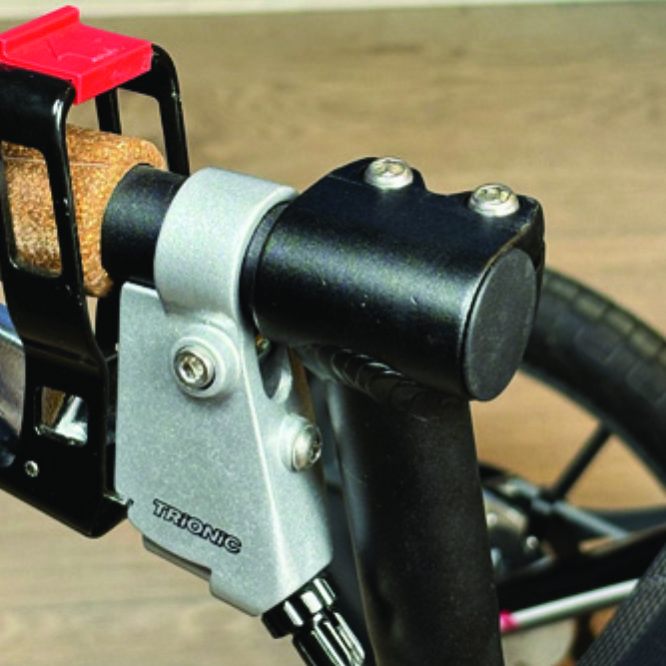
On top of the black semi-vertical tube, locate the two screws that clamp the grip tube, situated in front of the brake lever.
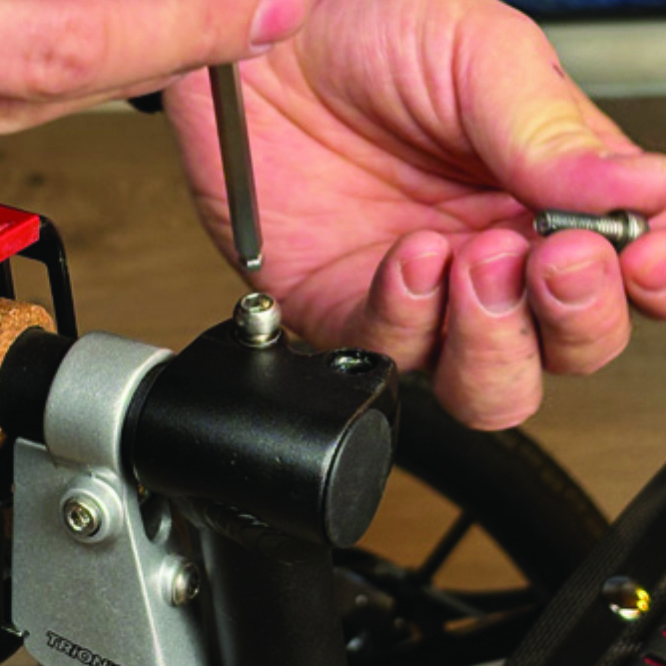
A1. On top of the black semi-vertical tube, locate the two screws that clamp the grip tube, situated in front of the brake lever.
Loosen both screws with the 5mm allen key included with the LED light.
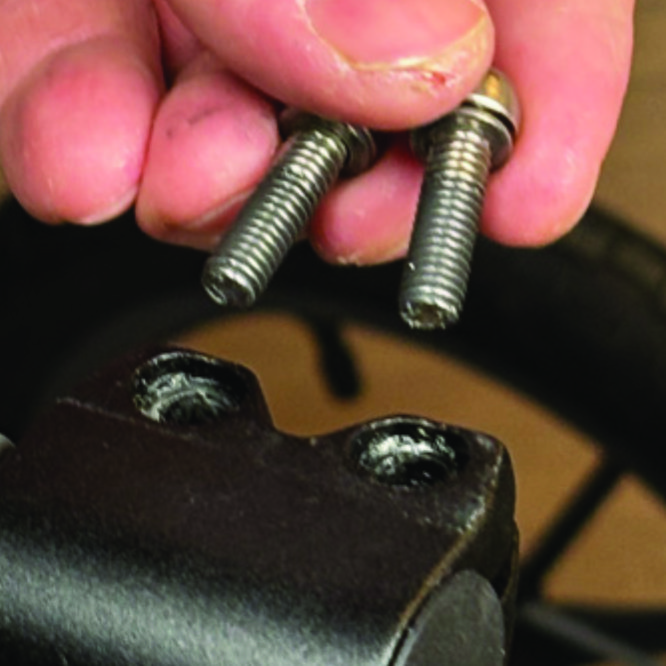
A2. Loosen both screws with the 5mm allen key included with the LED light.
Remove the two screws from the grip clamp.
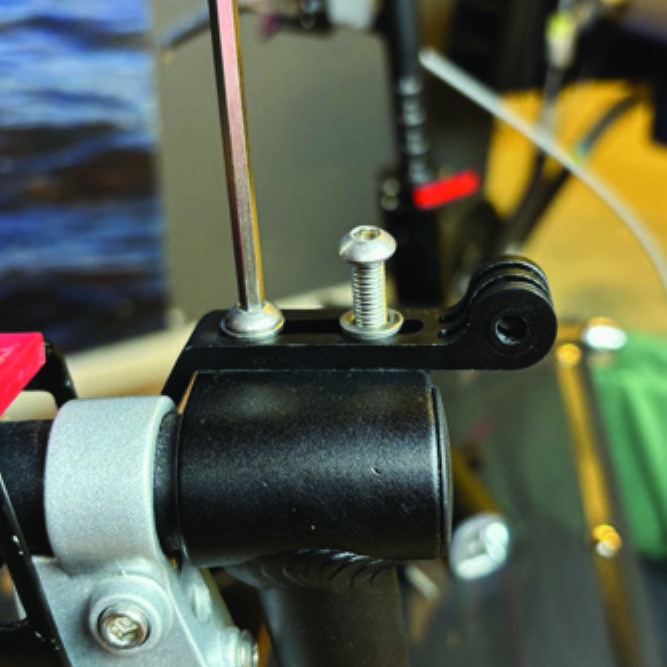
A3. Remove the two screws from the grip clamp.
Place the light holder on top of the grip clamp, with its circular and slotted light attachment pointing forwards and upwards. Enter the two screws with washers into the holes of the clamp.
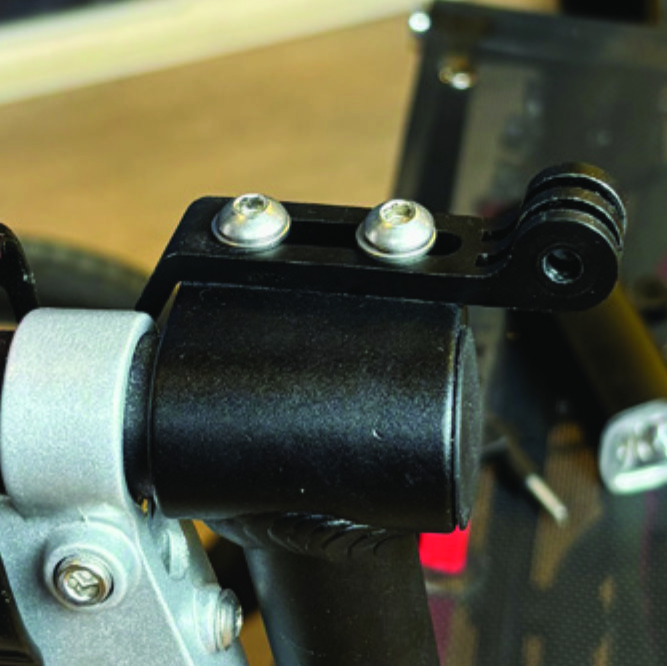
A4. Place the light holder on top of the grip clamp, with its circular and slotted light attachment pointing forwards and upwards. Enter the two screws with washers into the holes of the clamp.
Tighten the two screws with the 5mm allen key. NOTE: It is important that you tighten the screws properly as they secure the grip tube with its rubber grip and brake lever.
A5. Tighten the two screws with the 5mm allen key. NOTE: It is important that you tighten the screws properly as they secure the grip tube with its rubber grip and brake lever.

Instructions for a Veloped
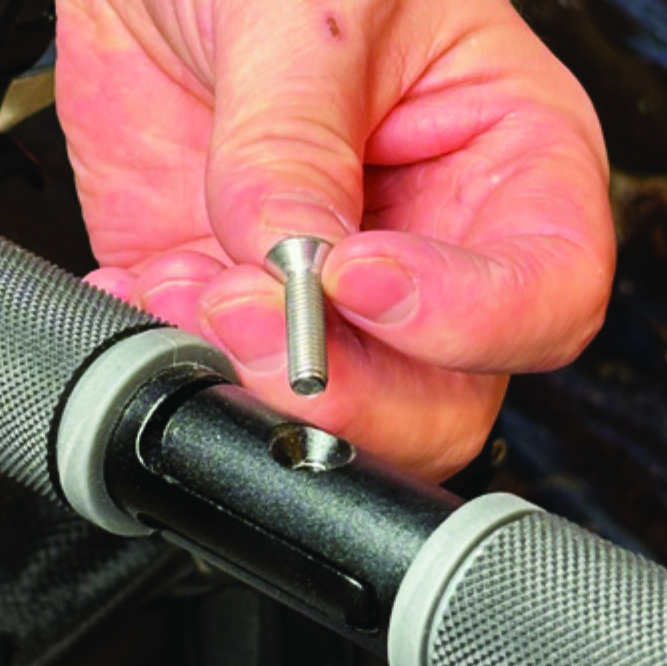
Locate the screw at the center folding hinge of the U-shaped grip bar of the Veloped. Unscrew the screw with the included 4mm allen key and remove it.
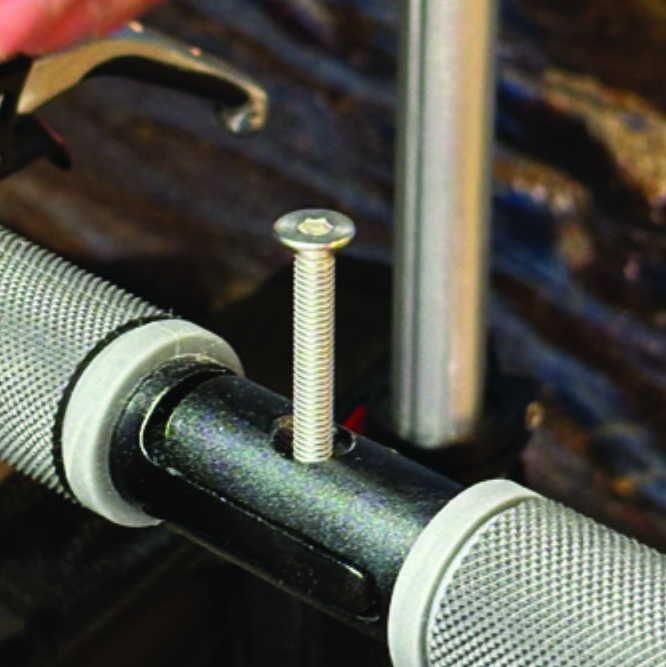
A1. Locate the screw at the center folding hinge of the U-shaped grip bar of the Veloped. Unscrew the screw with the included 4mm allen key and remove it.
Replace the old screw with the longer screw included with the LED light. Attach the longer screw to the hinge and tighten it with the 4mm allen key.
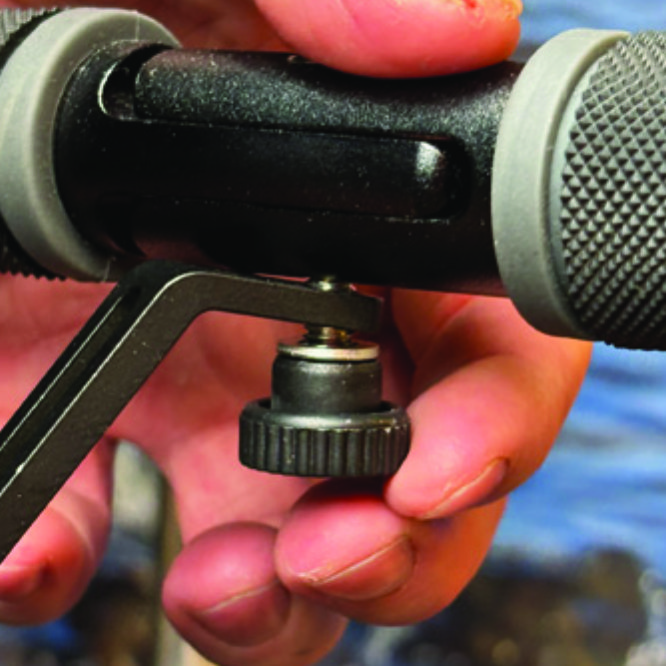
B2. Replace the old screw with the longer screw included with the LED light. Attach the longer screw to the hinge and tighten it with the 4mm allen key.
Attach the short angled end of the light holder to the lower end of the screw, on the downside of the grip bar. Fasten the holder with one washer and the knurled nut.
B3. Attach the short angled end of the light holder to the lower end of the screw, on the downside of the grip bar. Fasten the holder with one washer and the knurled nut.
For a more secure holder attachment, avoiding the holder to unintentionally turn sideways, replace the knurled nut with the included stainless steel nut and tighten it with a 10mm spanner.
B4. For a more secure holder attachment, avoiding the holder to unintentionally turn sideways, replace the knurled nut with the included stainless steel nut and tighten it with a 10mm spanner.
This photo shows the light holder as correctly attached.
B5. This photo shows the light holder as correctly attached.

Attaching the LED Light to the Holder

Instructions for a Walker
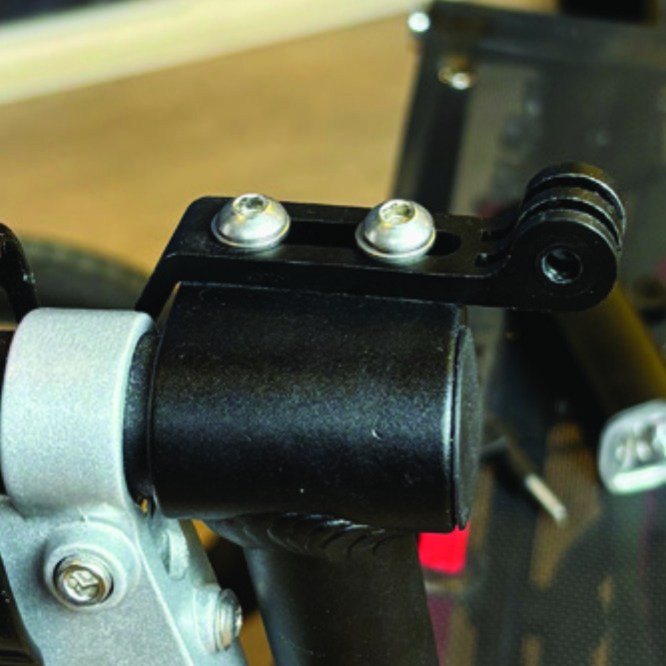
Identify the circular front end of the light holder, with two slots for attaching the light.
A6. Identify the circular front end of the light holder, with two slots for attaching the light.
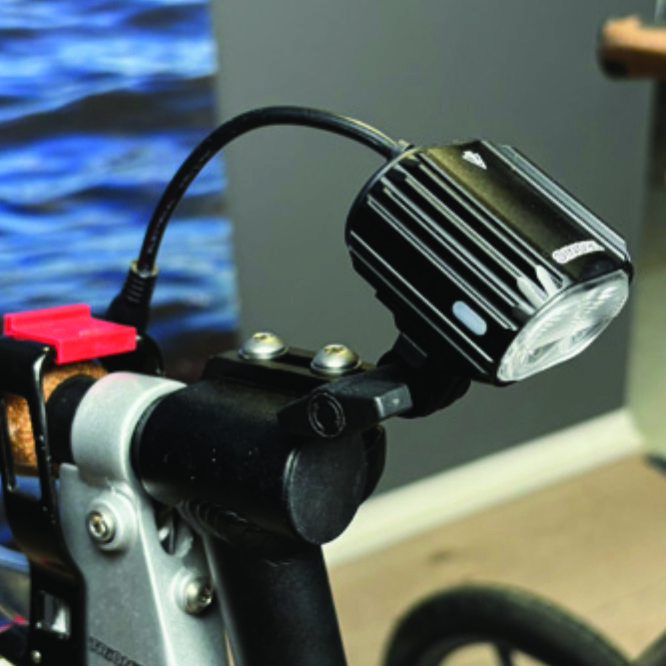
Push the slotted bracket of the light into the slots of the holder and make sure they are aligned. Seen in the traveling direction of the Walker, enter the included wingnut from the left and tighten it.
A7. Push the slotted bracket of the light into the slots of the holder and make sure they are aligned. Seen in the traveling direction of the Walker, enter the included wingnut from the left and tighten it.

Instructions for a Veloped
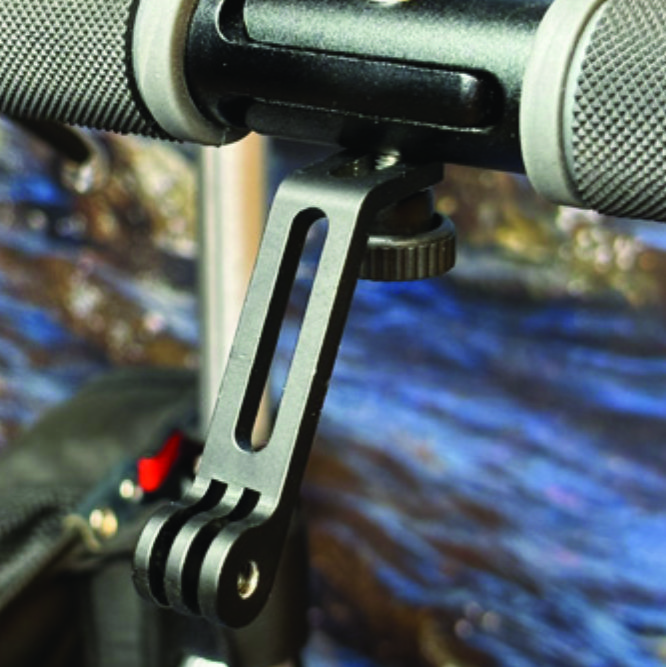
Locate the screw at the center folding hinge of the U-shaped grip bar of the Veloped. Unscrew the screw with the included 4mm allen key and remove it.
B6. Locate the screw at the center folding hinge of the U-shaped grip bar of the Veloped. Unscrew the screw with the included 4mm allen key and remove it.
Identify the circular front end of the light holder, with two slots for attaching the light.
B7. Identify the circular front end of the light holder, with two slots for attaching the light.

Placing the Battery Pack

Instructions for a Walker
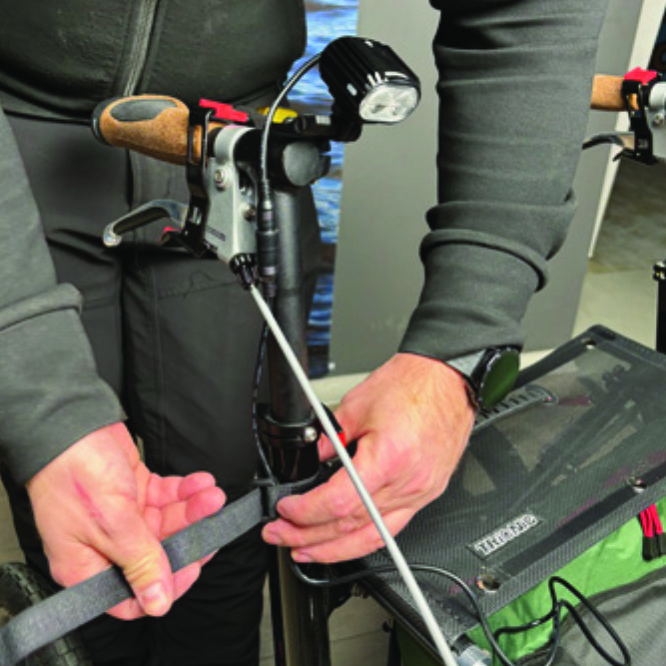
Run the longer extension cable along the semi-vertical grip tube of the Walker and secure it with the included velcro strap.
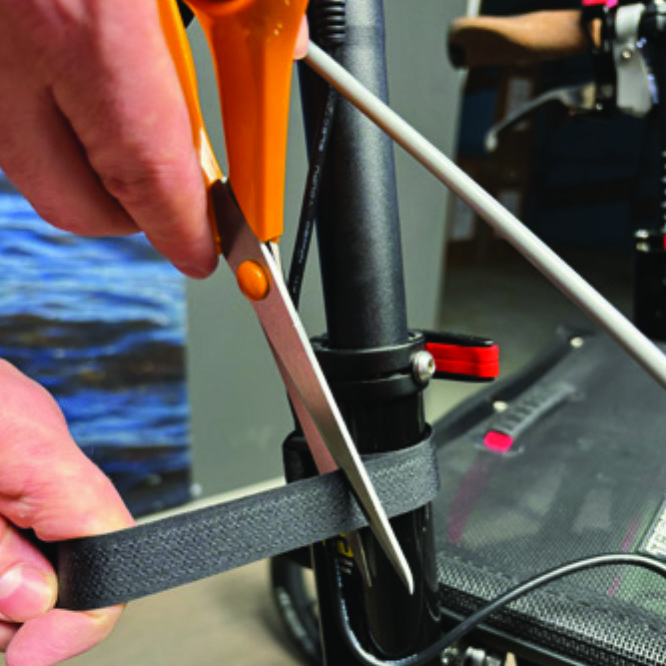
A8. Run the longer extension cable along the semi-vertical grip tube of the Walker and secure it with the included velcro strap.
You can cut the excessive length of the velcro strap with a pair of scissors.
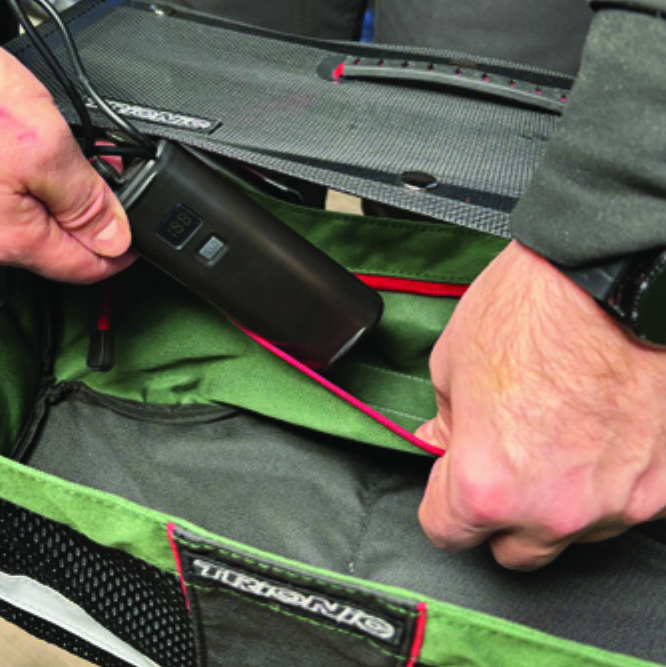
A9. You can cut the excessive length of the velcro strap with a pair of scissors.
Place the battery pack in the rear zippered pocket of the basket.
A10. Place the battery pack in the rear zippered pocket of the basket.

Instructions for a Veloped
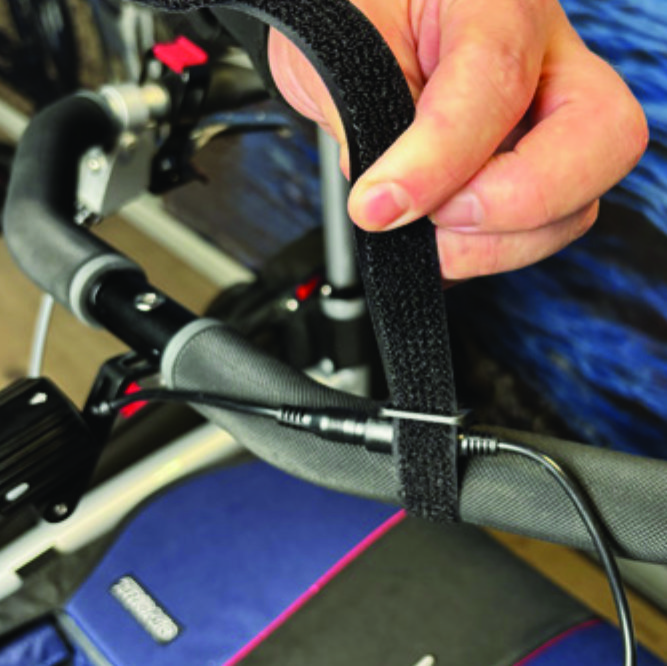
Run the longer extension cable along the U-shaped grip bar of the Veloped and secure it with the included velcro strap.
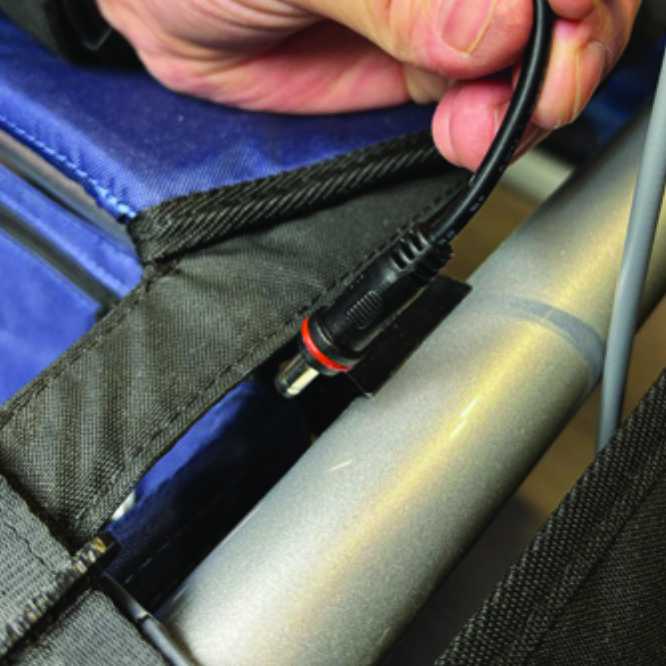
B8. Run the longer extension cable along the U-shaped grip bar of the Veloped and secure it with the included velcro strap.
You can cut the excessive length of the velcro strap with a pair of scissors.
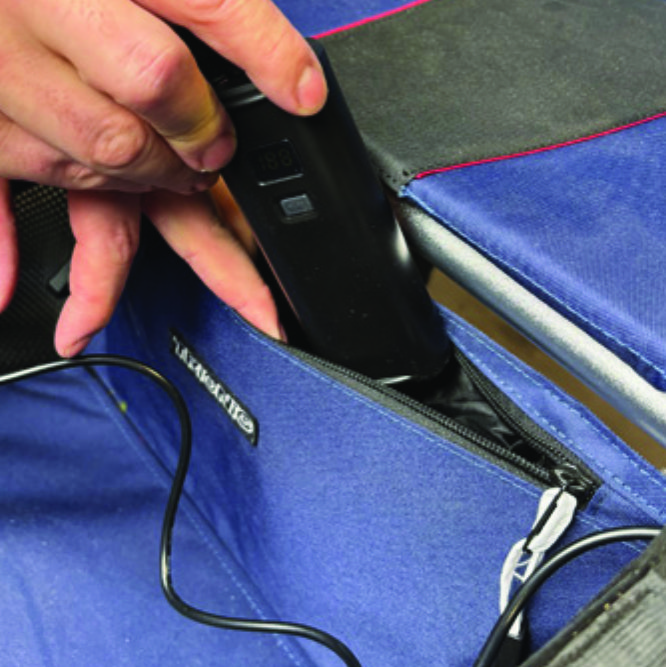
B9. You can cut the excessive length of the velcro strap with a pair of scissors.
Place the battery pack in the rear zippered pocket of the basket.
B10. Place the battery pack in the rear zippered pocket of the basket.

The package contains

The package contains

How to operate the light

How to operate the light

Product Reviews    

  • Keeps the weather off…

    Had this for a few months; easy to fit, the clips keep it in position and it gives it good protection as needed.…

  • A rollator that gives security…

    I use my wife's Walker 14er in addition to the rollator I have owned for years. The stable construction and large wheels of the Walker 14er give a completely different walking feeling, a new sense of safety. The bumpy cobblestones and uneven terrain …

  • Brilliant walking aid. Trionic Sport…

    Brilliant walking aid. Worth every penny. I get stopped every time I go out. Questions and even photos are taken. I’d be lost without it. I suffered a brain haemorrhage and am continually dizzy. It’s robust and like nothing I’ve used. Without it, I’d…

  • Good Robust Walking Aid…

    I am very pleased with my new Trionic walker. The main reason I bought it was that my previous walker had small solid tyred wheels and was very uncomfortable on my arms and wrists particularly if the ground was uneven.

    My Trionic walker with its p…

  • Finally, no more pain in my hands…

    Since I have this rollator, I could cry with happiness. I walked around with the wrong one for three years and ruined my right hand.

    The walker arrived and UPS even helped me with the box. I opened the box without any problems, overturned it and s…

  • I have just taken delivery of the Walker & Veloped…

    Amazing machines, both of them, and I have no doubt whatsoever that they will make a big difference to me.

    The quality of the construction is really excellent, and that was apparent the moment I opened the boxes. Beautifully made, these two machi…

  • Veloped Tour ;-)…

    I would just like to say what a life changer this Veloped has been for me. Having been diagnosed with spinal cerebellum Ataxia type 6 a few years ago, I now have very little balance.

    I can now walk independently using my Veloped with confidence a…

  • The Veloped is the best thing I...…

    Veloped is the best thing that could have picked me up! It's quality of life! I can go away with it as usual, at my pace over hill and valley, as I am used to with my dogs. Thanks to the stability and security I have gained, I am relaxed on the walk,…

  • The best invention after the wheel…

    My husband had a very serious accident at work: he fell from a height of eight meters on concrete floor. He is still very young, and it would be a disaster to get him to walk with a typical walker. Firstly, it is unsafe and completely unergonomic, an…

Subscribe to our newsletter!

"> ?>